Sqlserver

Q&A: Dealing with Thousands of Databases (Part 2)

This is Part 2 of a series. Please see Part 1 for the background and more.

What is the most unexpected experience you’ve had in this position?

I have two answers to this question.

  1. I write more dynamic SQL in any given week than I had previously in my career - all years combined!

  2. Many DBAs deal with issues around parameter sniffing and plans being stuck in cache that don’t work well for a number of their requests as a result. This hasn’t been an issue for me because my plan cache is constantly churning and the majority of queries are ad-hoc. I usually see 75-90 percent of my cached plans being created within the previous few hours, although that number has been changing lately as we’ve been shipping query optimizations the past few months.
Q&A: Dealing with Thousands of Databases

This is part one of a three-part series.

I’ve mentioned in various places, including in blog posts on occasion, that my production SQL Server instance hosts several thousand (nearly 9000 as of this writing) databases. People are usually surprised to hear this and it often leads to interesting conversation.

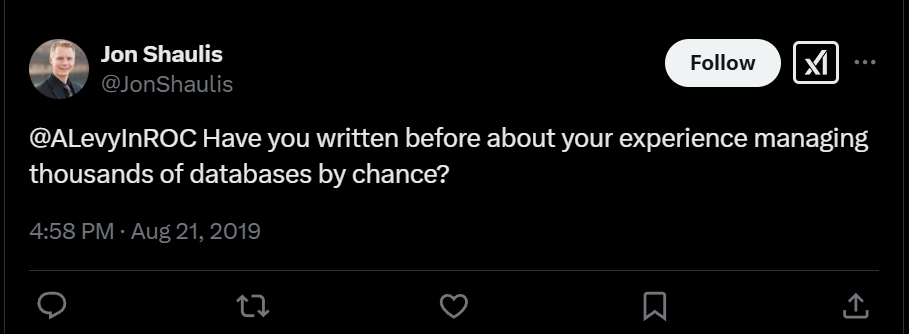
Jon Shaulis asked me on Twitter recently:

Tweet asking 'Have you written before about your experience managing thousands of databases by chance?'

And I realized that I haven’t ever sat down to address this in detail. I’ve spoken about it on the SQL Data Partners Podcast and written little bits here and there on the blog in the context of “here’s something that tripped me up” but I haven’t really sat down to write specifically about the topic.

dbatools One Point OH YEAH!

Announced at DataGrillen 2019 today, the amazing dbatools PowerShell module has officially released version 1.0. This is a tremendous milestone for the best Open Source project built for data professionals.

dbatools logo

What started out as a single PowerShell script for migrating SQL Server instances in Chrissy LeMaire’s (blog | twitter) datacenter has become the most important and comprehensive Open Source toolkit for SQL Server database administrators and developers. Whether you’re managing one server or one thousand, this module is an indispensable tool which will make your day more productive and less error-prone.

T-SQL Tuesday #113 -A Database for the Great Outdoors

This month’s T-SQL Tuesday comes from Todd Kleinhans (blog | twitter) who wants to know what we’re doing with databases outside of work.

T-SQL Tuesday Logo

I’m curious- outside of work and learning, what do you personally use databases for? Tracking books you have, recipes, collections, etc? While it can be said using databases for personal use could be either overkill or a hammer in search of nails on the other hand, it is exactly what they are for- storing data.

One Peril of Database Proliferation

By now many of us have upgraded from SQL Server 2008R2 and we’re on the “regular Cumulative Updates” train now. For the rest, it’ll (hopefully) happen soon. And since we want a long runway, we’re upgrading to SQL Server 2016 or 2017. Current software! New features! Mainstream support! But…there’s a catch.

Staying current

DBAs & sysadmins don’t want to fall too far behind on patching for a variety of reasons. It used to be that monthly patch cycles were primarily for Windows Server. When we were running SQL Server 2008R2, our last significant update was years ago. SQL Server 2012 is now out of support and isn’t receiving updates very often. Point being, a SQL Server update install has been the exception, not the norm, in the patch cycle for many of us the past couple years.

Appearance: SQL Data Partners Podcast #161

Carlos Chacon (twitter) was kind enough to have me back on the SQL Data Partners Podcast to talk about my experiences with managing 8000 databases on a single instance and upgrading to SQL Server 2016. He, Kevin Feasel (blog | twitter) & I had a great conversation in which I may have gushed a bit about dbatools. Then we wrapped up with the SQLFamily questions as we didn’t do them on my previous appearance last year.

A Monumental Migration to SQL Server 2016 - Part 2

In my previous post, I outlined the preparations we undertook to migrate a large SQL Server 2008R2 instance to SQL Server 2016. This post details migration day.

Final Prep

We completed our nightly backups as usual on Friday night, so when I arrived Saturday I kicked off a final differential backup to catch any overnight changes. We’ve multi-threaded Ola’s backup script by creating multiple jobs and I started them all at once with (of course) PowerShell.

A Monumental Migration to SQL Server 2016 - Part 1

A bit over a year ago, I blogged about my experience migrating a test SQL Server instance from a VM to a physical machine with a little help from my friends. That migration went well and the instance has been running trouble-free ever since. But it’s small potatoes. A modest instance, it’s only about 5% the size of production. With SQL Server 2008R2’s EOL looming, it was time to migrate production to SQL Server 2016.

I Will See You in Seattle!

A few weeks ago, I teased good news.

just got some good news. can’t wait to share it

  • Tweet by me at Fri Jul 20 16:42:28 +0000 2018

One person hypothesized that I’m joining Microsoft (it seems to be the thing to do lately) and another jumped to the conclusion that I must be pregnant. Both creative responses, but not quite correct.

I’ll be at PASS Summit 2018!

So much to do!

Triggers vs. Default Constraints: Choose Wisely

Triggers can be really useful in your database but you have to be careful with them. We often use them to record history to a separate table (at least, until we can implement temporal tables) or keep track of when a record was last updated. It’s usually implemented via an AFTER UPDATE trigger.

Several times a day, I’m alerted by our monitoring suite that two processes were deadlocked. This is a (mostly) normal event, but one that we’d like to avoid if we can. More than a few times, I observed this pattern: